First, become a member.
Then, log in to access your member profile page where you can:
- see your groups and their totals
- create new groups and search for groups
- see your recurring contributions
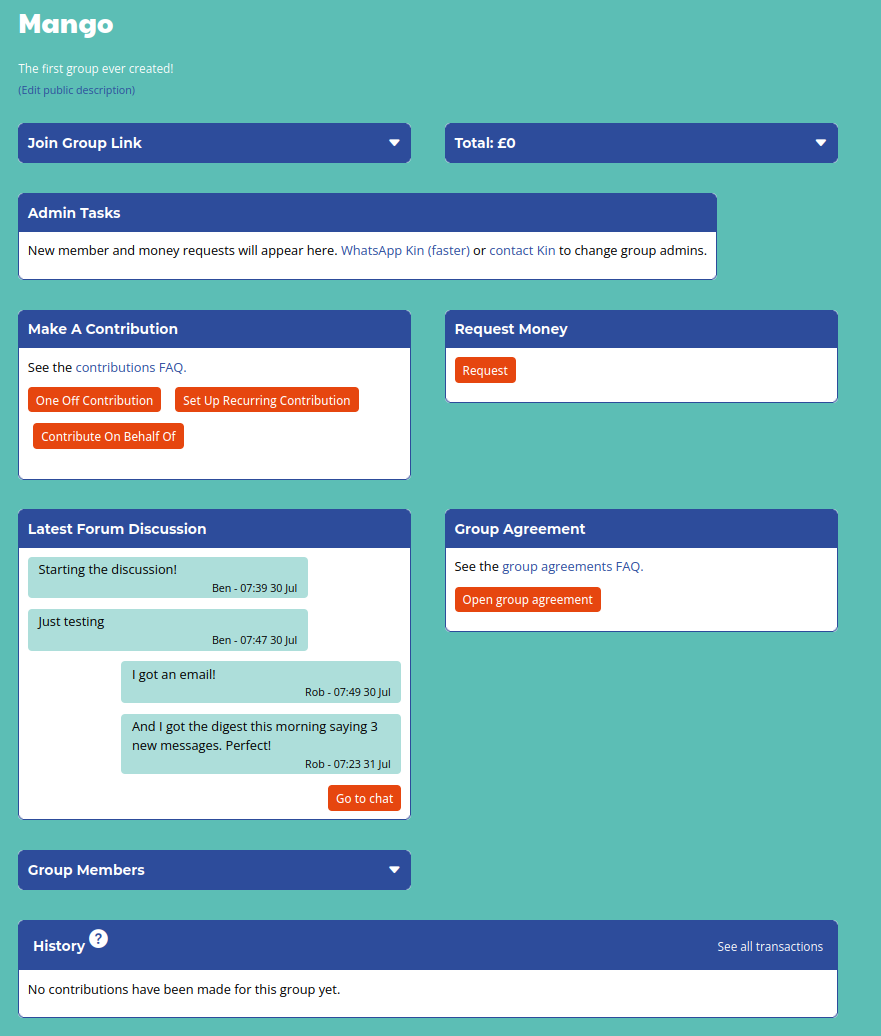
Click on your group's name to visit the group page (see example) where you can:
- make contributions and request money
- see the group's contribution history
- chat to members and create group agreements
- approve or deny money requests or new group members (admins only)
Contributions:
- Contributions are made directly to Kin Cooperative, which holds the money on behalf of your group.
- Every contribution requires a unique reference which allows us to track the money to you and your group safely.
- Requests for money from your group must be approved by a group admin
For more information, explore the FAQ or get in touch: WhatsApp Kin (faster) or use the contact form.